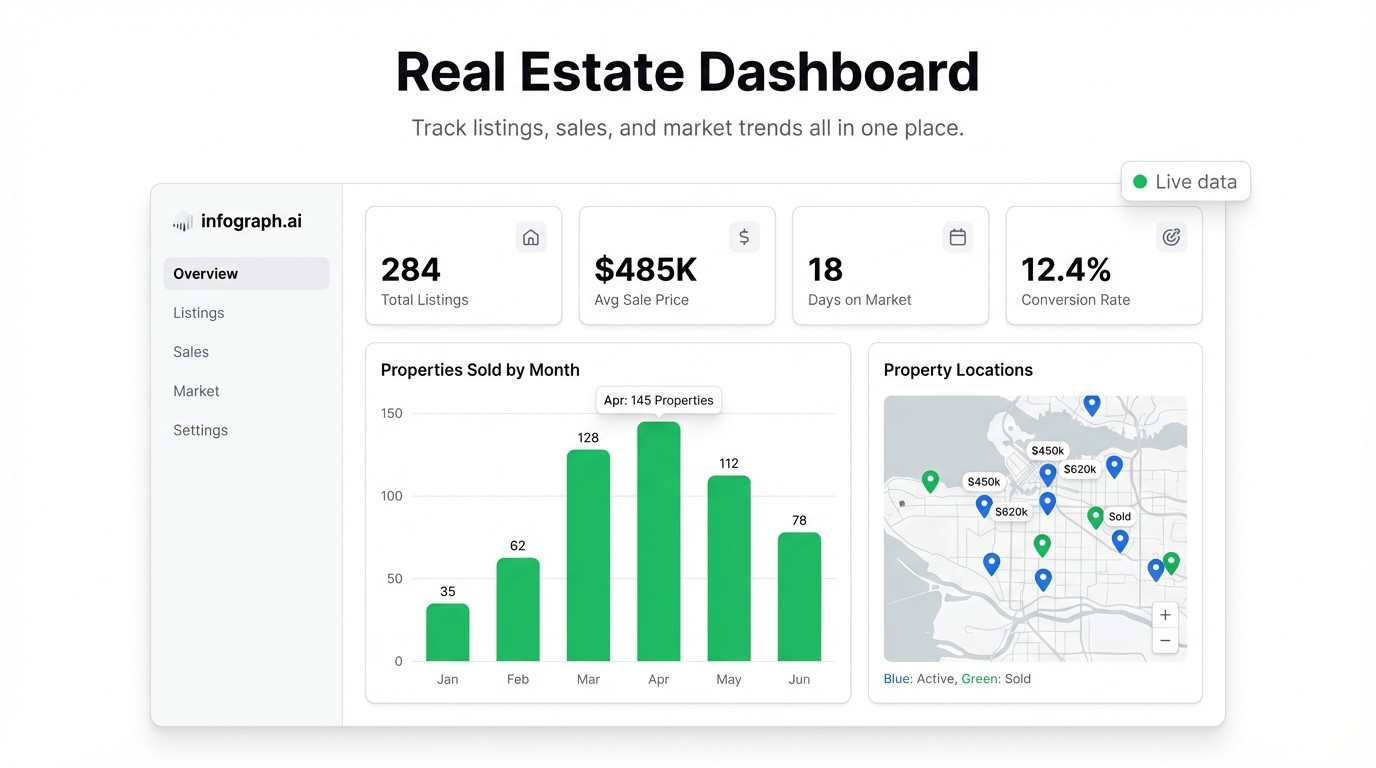
A broker with 12 agents, 40 active listings, and a pipeline spreadsheet that hasn’t been updated since Tuesday. Sound familiar? You know the business is moving — but you have no clean view of where deals actually stand, which agents are performing, or whether you’re on track to hit the month’s revenue target.
Most real estate teams run on spreadsheets and gut feel. That works until it doesn’t. A real estate dashboard gives you the view you need — listings, pipeline, revenue, and agent activity — without building reports by hand every week.
Here’s what to track and how to set it up.
What Belongs in a Real Estate Dashboard
Active listings — how many properties are currently on the market, segmented by status (new, under offer, price reduced). If you have 40 listings but 15 have been sitting for 60+ days, you need to see that clearly.
Pipeline by stage — deals broken out by where they are in the process: inquiry, viewing scheduled, offer made, under contract, closed. A funnel view tells you immediately where deals are stalling.
Revenue and commissions — closed deals this month, this quarter, year-to-date. Commission earned vs. target. You should be able to answer “are we on track?” without opening a spreadsheet.
Agent performance — listings per agent, deals closed, average days on market, revenue generated. This isn’t about micromanaging; it’s about knowing who needs support and who’s worth replicating.
Days on market — average and by listing. Properties sitting too long affect your agency’s reputation and your clients’ outcomes. A dashboard that surfaces the outliers early means you can act before they become problems.
Why Spreadsheets Break Down Here
The spreadsheet problem in real estate is a trust problem. The pipeline tracker is only accurate when someone remembers to update it. The agent performance sheet is a weekend project. The revenue report gets emailed on Friday if you’re lucky.
You end up making decisions based on a view of the business that’s days or weeks old — and that’s the gap a real estate analytics dashboard is designed to close.
Building Your Real Estate Dashboard with Infograph
You don’t need a CRM integration or a BI analyst. If your data lives in Google Sheets or can be exported to CSV from your CRM, you’re ready.
Step 1: Structure your data
Get your key data into one place. The columns you need: listing ID, property address, listing status, listing date, offer date, close date, sale price, commission %, agent name, and days on market (or calculate it from dates). You don’t need it to be clean — just consistent.
Step 2: Connect to Infograph
Head to app.infograph.ai. Upload your CSV, or connect your Google Sheet or Excel Online file directly for a live feed. If your CRM can export a sheet, connect that.
Step 3: Describe your dashboard
Tell Infograph what you want: “Show pipeline by stage as a funnel, active listings by status, closed revenue vs target by month, agent performance as a leaderboard, and average days on market by listing type.”
Within seconds, you have a dashboard. Not a template you need to configure — an actual built view of your data. Adjust the prompt if anything needs to change.
Step 4: Share it
Publish the dashboard and share the link with your team. Managers get the full view. Agents can see their own numbers. When the underlying sheet updates — a deal closes, a listing changes status — the dashboard reflects it automatically.
What Changes When You Can See It All
The pattern is consistent across teams that move from spreadsheets to a real estate KPI dashboard:
- Deals that were stalling in the pipeline get caught earlier
- Agents who are behind on their targets get support before end of month
- Pricing conversations with clients get easier when you can show days-on-market data clearly
- Revenue forecasting shifts from guesswork to a real projection based on what’s actually in the pipeline
It’s not magic — it’s just having a clean, current view of the business instead of a stale snapshot.
Get Started
Infograph is free to get started — one dashboard, no credit card needed. If you want to connect a live Google Sheet or Excel file and keep your dashboard updating automatically, Pro is $19.99/month.
Your pipeline data already exists. It’s just not in one place yet.


