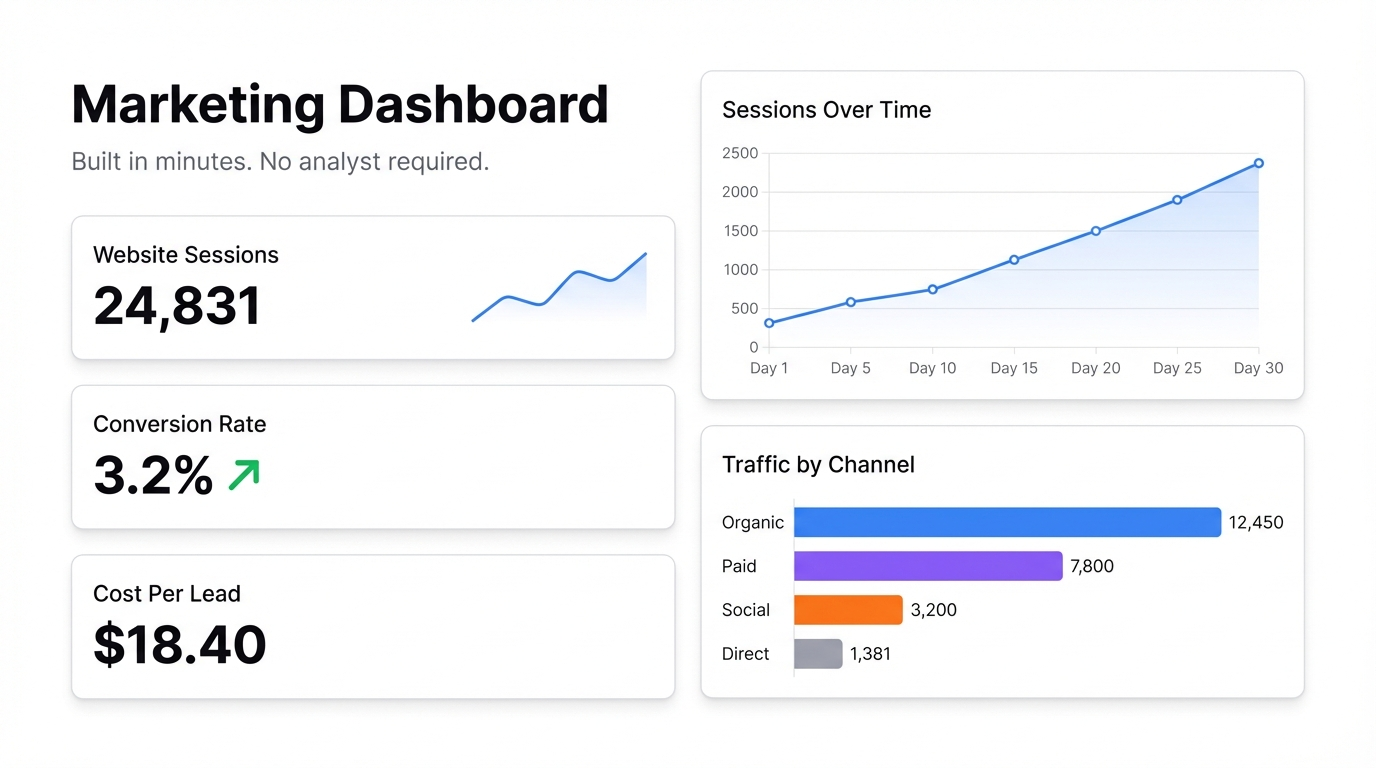
Most marketing dashboards are a disaster. Forty metrics, six chart types, three shades of red — and no one can tell you whether the campaign is working or not.
The problem isn’t the data. It’s the design philosophy. Someone added every metric they could think of, and now the dashboard does a great job of making everyone feel busy while telling them nothing useful.
Here’s how to build a marketing dashboard that actually earns a place on your team’s screen.
Start with the questions, not the metrics
Before you connect a single data source, write down the three questions your marketing team needs to answer every week. Not every possible question — the ones that actually change what you do.
For most teams, they’re something like:
- Which channels are driving qualified traffic?
- What’s converting and at what cost?
- Where are we losing people in the funnel?
That’s it. Everything on your dashboard should help answer one of those questions. If a metric doesn’t, cut it.
The metrics that belong on a marketing dashboard
Traffic by channel — organic, paid, social, direct, email. Not just total sessions. Breakdown matters. A 20% traffic drop that’s entirely in paid while organic grows is a completely different story than a 20% drop everywhere.
Conversion rate — by channel, by campaign, by page. Visitors don’t pay the bills. Conversions do.
Cost per acquisition — if you’re running paid, this is non-negotiable. You need to know what you’re actually paying for each customer.
MQL to SQL conversion rate — if you’re B2B. This is where marketing and sales alignment lives or dies.
Revenue attributed to marketing — hard to get right, but worth having even as an approximation. If you can’t connect marketing activity to revenue, you can’t justify the budget.
Email metrics — open rate, click rate, unsubscribe rate. Not vanity. These tell you whether your list is healthy.
What to leave off
Impressions, reach, follower counts, social likes — unless you’re a consumer brand where brand awareness directly precedes purchase. For most B2B teams and many B2C teams, these numbers make you feel good and tell you very little.
Pageviews by themselves. Sessions by themselves. These are context, not conclusions.
Building it in practice
The hardest part of building a marketing dashboard used to be the tooling. You’d need a BI platform, someone who could write SQL, a data warehouse, and probably a contractor to connect everything together. Then you’d wait three months and get something that was already outdated.
There’s a faster way now.
With Infograph, you can export your data from wherever it lives — Google Analytics, your CRM, your ad platforms — as a CSV or connect Google Sheets directly. Then describe your dashboard in plain English. Something like “show me weekly traffic by channel, conversion rate by campaign, and cost per acquisition by source” — and the AI builds it.
No SQL. No BI tool. No waiting.
If your team runs off a Google Sheet with campaign data, connect it live. The dashboard updates automatically when the sheet changes. Share it with the team as a link, lock it behind a password if it’s sensitive, or make it public if you want stakeholders to see it without logging in.
A template to steal
Here’s a basic structure that works for most marketing teams:
Row 1 — Traffic health
- Total sessions (vs last period)
- Sessions by channel (bar chart)
- New vs returning visitors
Row 2 — Conversion
- Conversion rate by channel
- CPA by campaign
- Top converting pages
Row 3 — Pipeline
- Leads generated (vs target)
- MQL → SQL rate
- Revenue attributed (if you have it)
Row 4 — Email
- Open rate trend
- Click rate trend
- List growth rate
That’s four rows. Fits on one screen. Answers the three questions.
Keep it current
A marketing dashboard that’s a week out of date is worse than no dashboard — it creates false confidence. If you’re pulling from Google Sheets or Excel Online, you get live updates automatically. If you’re uploading CSVs, make someone on the team responsible for the weekly upload. Put it in the calendar.
The real point
A good marketing dashboard isn’t about having all the data. It’s about making the right decisions faster. If you can look at your dashboard on Monday morning and know what to do differently this week, it’s doing its job.
If you’re looking at it and shrugging — rebuild it.
Ready to build yours? Start free at Infograph — no credit card required, and you can have your first dashboard running in minutes.


