CSV is the universal data format. Every tool reads it — databases, scripts, APIs, analytics platforms. Excel is the universal spreadsheet format. Nearly every business document starts as a .xlsx.
The gap between them is annoyingly hard to bridge if you don’t have the right tools.
Sure, you can open the file in Excel and “Save As” CSV. But that requires having Excel installed. And if the workbook has multiple sheets, you can only export one at a time. And if the file is large, Excel might take forever to load it just so you can re-save it.
Online converters exist, but most require you to upload your file to their servers. That’s fine for a shopping list, less fine for payroll data or financial reports.
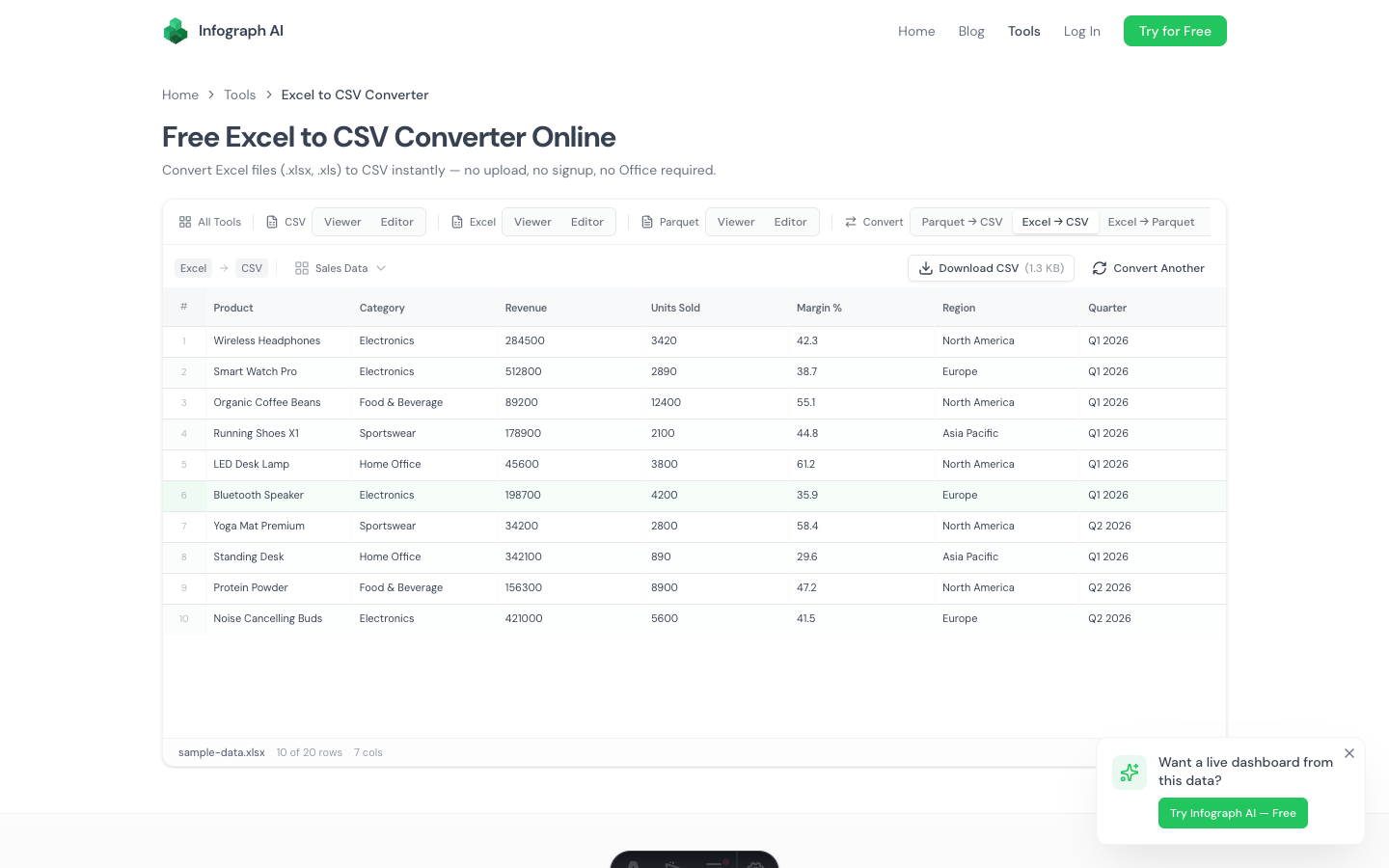
We built a free Excel to CSV converter that runs entirely in your browser. Drop a .xlsx or .xls file, pick the sheet you want, download the CSV. Your data never leaves your machine.
How It Works
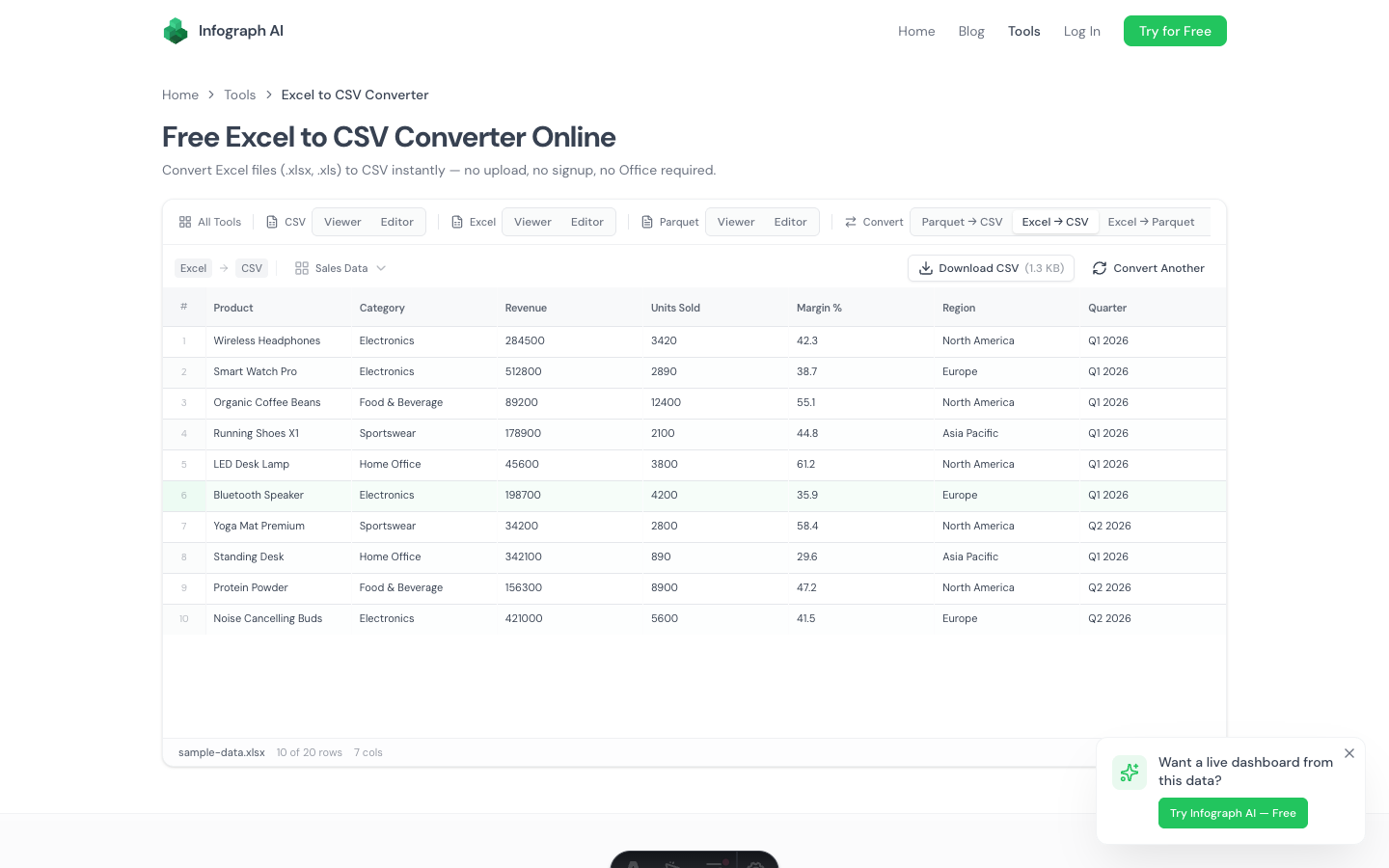
- Drop your Excel file (.xlsx or .xls) onto the page
- Select a sheet if the workbook has multiple sheets — a dropdown appears automatically
- Preview the data to verify it looks right
- Download as CSV with one click
The conversion runs locally using WebAssembly and SheetJS. No server processing, no upload queue, no file size limits beyond your browser’s memory.
Multi-Sheet Handling
This is the part that trips up most converters. Real-world Excel files rarely have just one sheet. A typical business spreadsheet might have:
- A “Summary” sheet with high-level numbers
- A “Raw Data” sheet with the actual records
- A “Lookup” sheet with reference tables
- A “Notes” sheet with metadata
When you drop a multi-sheet workbook, a sheet selector dropdown appears in the toolbar. Pick the sheet you need and the preview updates instantly. The CSV export applies to whichever sheet is currently selected.
This is faster than the “Open in Excel → navigate to sheet → Save As CSV → repeat” workflow, especially when you need to export multiple sheets.
What Gets Converted
Excel cells can contain formulas, formatting, hyperlinks, comments, and conditional formatting rules. Here’s what happens to each:
- Values → preserved exactly (numbers stay numbers, text stays text)
- Formulas → the calculated result is exported, not the formula itself
- Dates → converted to their text representation
- Formatting → stripped (bold, colors, borders don’t exist in CSV)
- Hyperlinks and comments → stripped
- Empty cells → empty CSV fields
- Merged cells → value appears in the first cell of the range
The output is clean, comma-separated text. No BOM characters, no Excel-specific encoding quirks.
When You Need This
Importing into a database. Most databases and data tools accept CSV imports directly. MySQL, PostgreSQL, SQLite, MongoDB — all have CSV import. Excel import is often missing or unreliable.
Feeding data to a script. Python, R, JavaScript — parsing CSV is trivial in any language. Parsing Excel requires a dedicated library (openpyxl, pandas, SheetJS). If you’re doing a one-off analysis, converting to CSV first saves you a dependency.
Sharing across platforms. Not everyone has Excel. Not everyone has Google Sheets. But everyone can open a CSV — in any text editor, any spreadsheet app, any data tool. CSV is the lowest common denominator.
Cleaning up before processing. Sometimes you just need the raw data without Excel’s formatting layer. Converting to CSV strips everything down to values, which is exactly what you want for data cleaning.
Handling sensitive data. Financial records, HR files, customer data, medical records — anything covered by compliance requirements. Since this converter runs entirely in your browser, there’s no risk of data exposure. Nothing is uploaded, transmitted, or stored.
How It Compares
| Method | Needs Install? | Upload Required? | Multi-Sheet? | Speed |
|---|---|---|---|---|
| Infograph Converter | No | No | Yes (dropdown) | Instant |
| Desktop Excel | Yes (Office) | No | One at a time | Slow for large files |
| Google Sheets | No | Yes (to Google) | Yes | Slow for large files |
| Online converters | No | Yes (to their server) | Sometimes | Varies |
| Python script | Yes (Python + openpyxl) | No | Yes (with code) | Fast |
File Size and Compatibility
The converter handles both .xlsx (modern Excel, 2007+) and .xls (legacy Excel, pre-2007) formats. File size is limited only by your browser’s available memory — most files up to several hundred megabytes work without issues.
Related Tools
- Excel Viewer — view Excel files without editing
- Excel Editor — edit Excel files and export to any format
- Excel to Parquet Converter — convert Excel to the Parquet columnar format
- CSV Viewer — view the converted CSV with sorting and filtering
- CSV Editor — edit the converted CSV
Try It
Drop a .xlsx or .xls file and download the CSV. No account, no Office, no upload.